Features/Understand and fix

Workflows and automation

When something happens, the right thing happens next.

A visual, no-code builder that connects what happens in your product to the tools you already use, with AI steps in between. A critical bug can open a Jira issue, ping Slack and call the on-call engineer, without anyone lifting a finger.

~30
triggers across the product
33
actions
7
issue trackers and boards
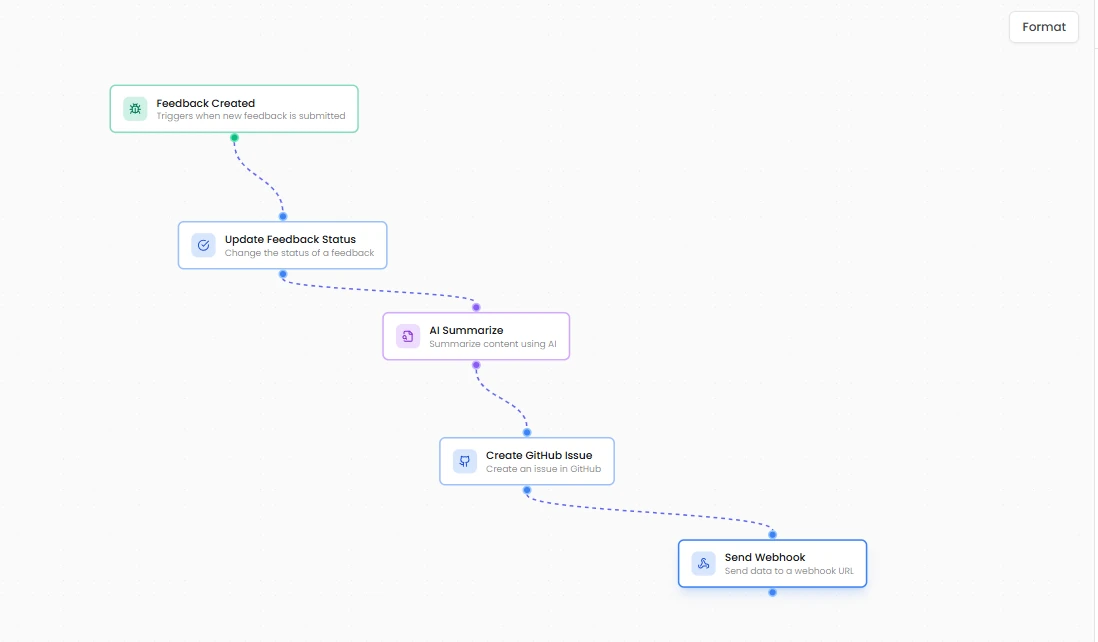
Workflows in Rectify When new feedback arrivesAn AI step summarises itThen it files the issue and calls your webhook

A paying customer reports a bug. Someone copies it into Linear, pastes it in Slack, and forgets to tell the customer.

Write it once as a workflow. It never forgets.

01

Triggers across the whole product.

Feedback created, assigned or resolved. A request reaching a vote count or getting merged. A changelog going out. A support message, a code scan finding an issue, a monitor going down, an SSL certificate about to expire, a contact entering a segment.

~30

triggers to start from

Feedback createdRequest votedChangelog publishedMessage receivedScan completedMonitor downSSL expiringEntered segment
02

Actions in the tools you use.

Post to Slack, send an email, a push, an SMS or a webhook, or have Quanta phone someone. Create issues in GitHub, GitLab, Jira and Linear, cards in Trello, tasks in Asana and items in Monday. Change statuses, publish a changelog, start a scan, pause a monitor.

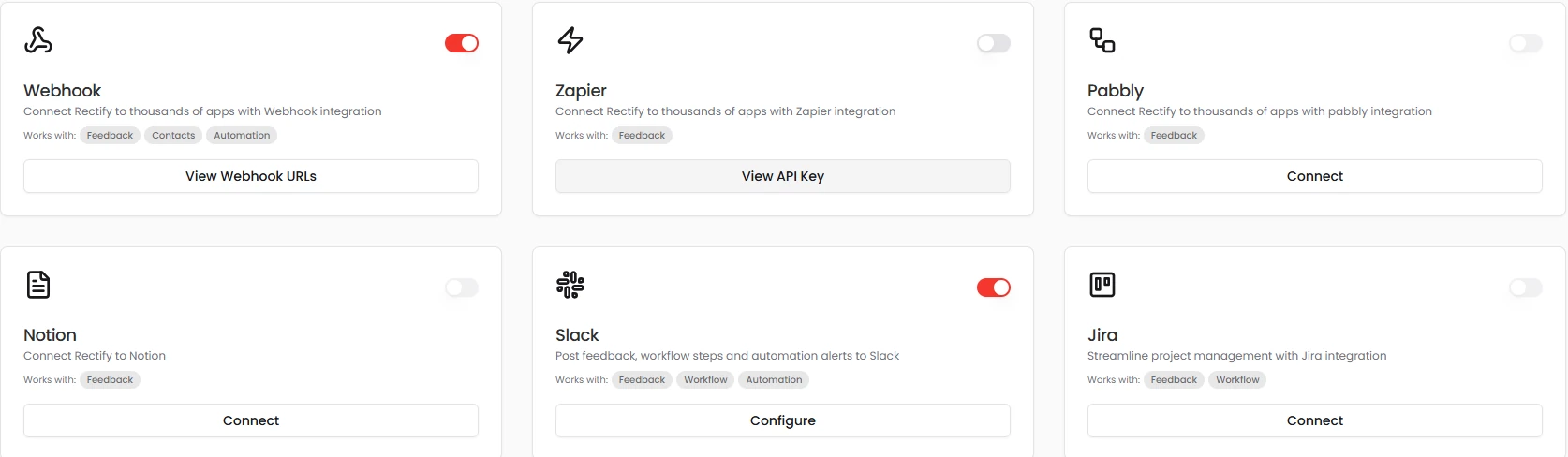
Integrations: Webhook, Zapier, Pabbly, Notion, Slack and Jira
03

AI in the middle.

AI Generate Text and AI Summarise steps can read feedback screenshots, attachments and session replays, so the issue you file is already written. Branch on any field, severity or status, and use data from the trigger and every earlier step.

Feedback created

Severity is Critical

AI Summarise

Reads the screenshots and the replay

Card payments fail in Safari when the EU 3-D Secure step opens. 4 customers affected, 2 paying.

Create Linear issue

Checkout fails in Safari for EU cards

Send to Slack

#bugs · with the replay link

04

Run with confidence.

Test a workflow against a sample record before it goes live. Pause and resume it, and see every run step by step with timings and errors. Quanta flags any workflow whose last run failed.

Escalate critical bugs
Run 148 · 1.2 sPassed
Run 147 · 0.8 sFailed at Create Jira issue
Run 146 · 1.4 sPassed

Run 147, step by step

✓Feedback created

✓AI Summarise

✕Create Jira issue · Token expired. Reconnect Jira.

Test runPause Quanta flagged this run
05

Lead scoring and alerts.

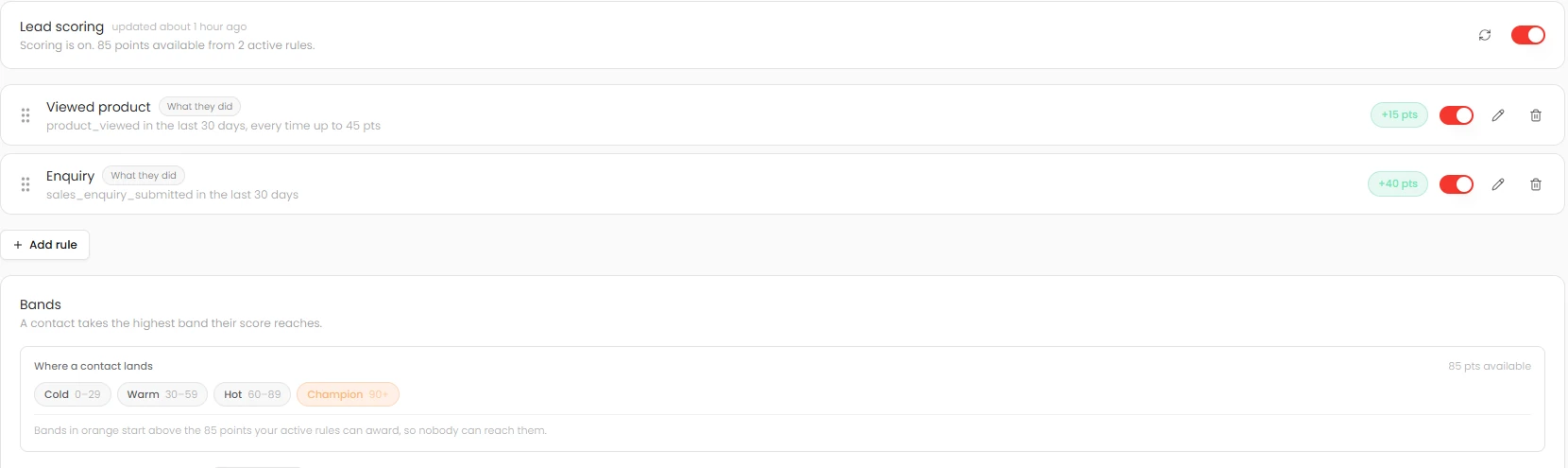
Score contacts on who they are and what they do, with score bands, decay over time and a push to HubSpot. Get a Slack alert when a hot lead is active, filtered by segment and score.

Lead scoring rules, score bands and decay

Watch it work

Workflows, live.

  1. 01Pick a trigger
  2. 02Add steps, AI included
  3. 03It runs on its own

Ask Quanta

Don’t click through it. Just ask.

Ask in plain English and Quanta does the work. Anything that changes your data waits for a person to approve it.

QuantaOn shift

Which workflows failed today?

One: “Escalate critical bugs” failed at the Jira step because the token expired. The other 13 runs passed.

Ask Quanta to do anything

Everything in it

The details, all of them.

Visual builderNo code, drag and connect
BranchingEquals, contains, greater than, is empty
NotifySlack, email, push, webhook, SMS, AI call
Work itemsGitHub, GitLab, Jira, Linear, Trello, Asana, Monday
OperationsScans, incidents and monitors
AI stepsGenerate and summarise
Test runsAgainst a sample record
Run historyPer step, with duration and errors
ConsentCustomer emails respect unsubscribes
Signed webhooksFor feedback, contacts, surveys and more

Give your SaaS its first hire.

Free for 14 days. Set up in about two minutes.