Features/Tell them what changed

Public portal

One public home for your product.

Feature requests, the roadmap, your changelog, a status page and the help centre in one branded portal, on your own domain. The same content shows inside your widget.

5
sections in one portal
SSL
set up for you on your domain
7
kinds of update visitors control
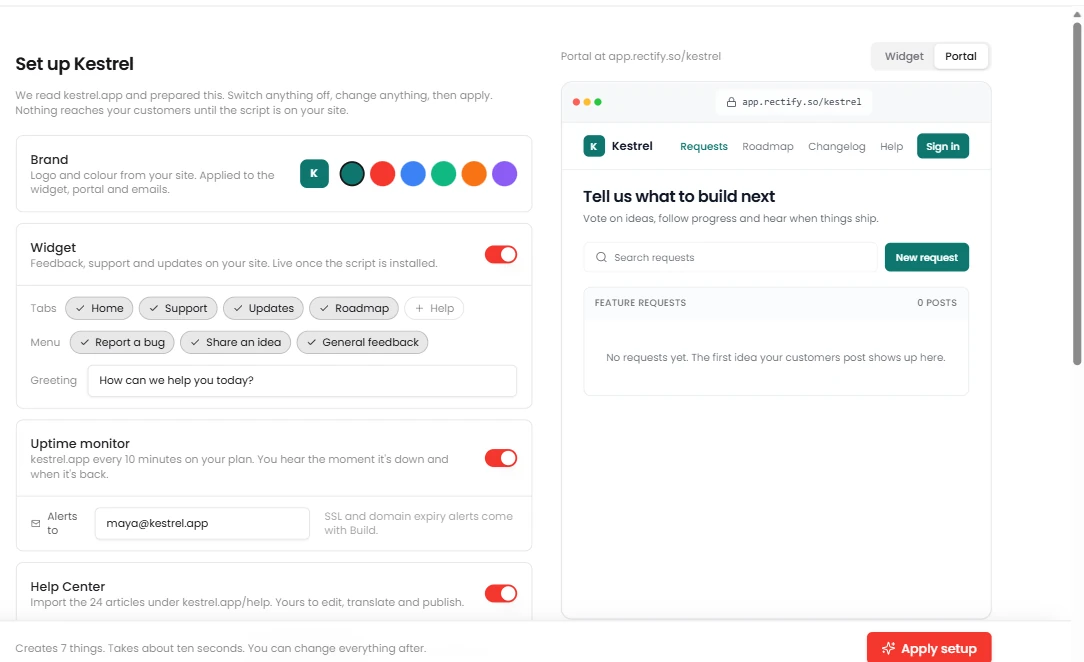
Public portal in Rectify Your logo and colours, read from your siteYour portal, live as you go

Your roadmap is a Notion page, your changelog is a tweet, and your status page is yet another subscription.

Put it all under your name, in one place.

01

Make it yours.

Logo, name, tagline, favicon, accent colour, light or dark by default, and custom CSS. Rename, hide and reorder the menu, add your own links, and run an announcement banner. Edit with a live split-screen preview, with undo and redo.
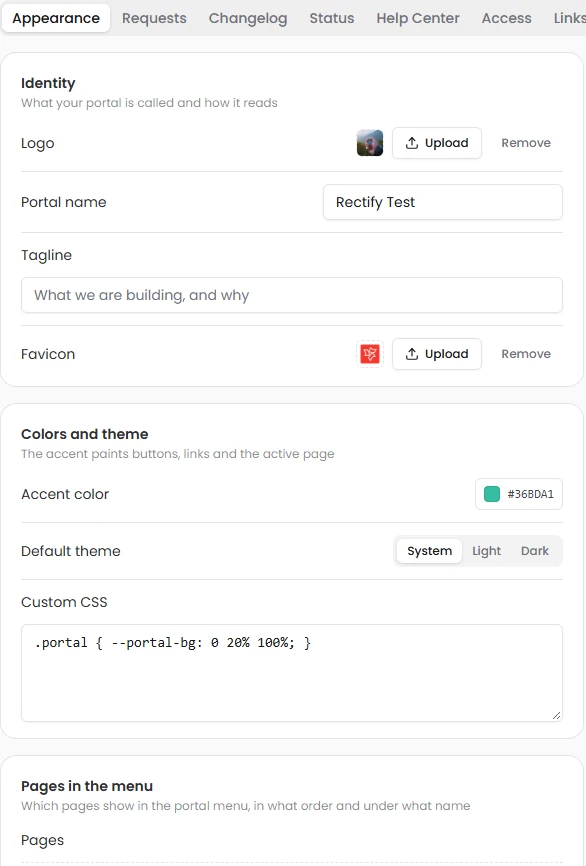
Portal appearance: identity, colours, theme and custom CSS
02

On your own domain.

Point a subdomain at Rectify and it checks your DNS and sets up SSL for you. Each project gets its own path, and you can hide “Powered by Rectify”. Add an SEO title and description, a share image, and choose whether search engines index it.

SSL

automatic, on your domain

Custom domainDNS checkA path per projectSEO fieldsShare image
03

Decide who sees what.

Public, private behind sign-in, open only to people from your email domains, or shown to chosen customer segments. Separate audiences for the changelog and the help centre. Verified sign-in from your widget means customers show up as themselves, and nobody can pretend to be them.

4

levels of access

PublicSigned inEmail domainsSegmentsVerified from the widget
04

Built for your customers.

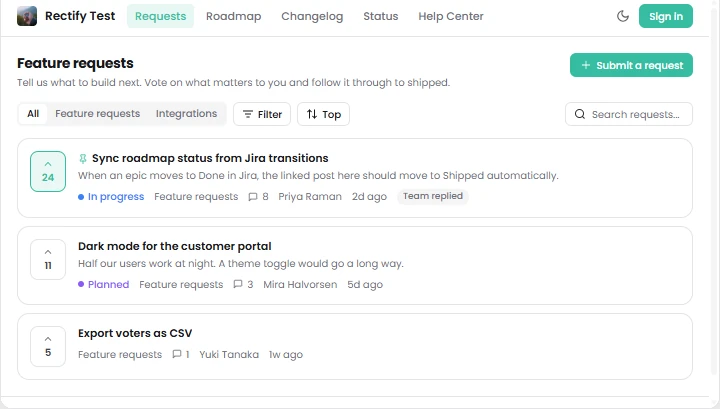
Visitors vote, follow, comment and react, sign in with a one-time email code, and choose which of seven kinds of update they hear about, in the app or by email. Public profiles, light and dark mode, and one-click unsubscribe everywhere.

Feature requests on the public portal

Watch it work

Public portal, live.

  1. 01Customers post ideas
  2. 02They vote on what’s next
  3. 03They hear when it ships

Ask Quanta

Don’t click through it. Just ask.

Ask in plain English and Quanta does the work. Anything that changes your data waits for a person to approve it.

QuantaOn shift

Set up our portal.

Your logo, the teal accent from your site, and Requests, Roadmap and Changelog in the menu. Ready to go live.

Waiting for your approvalApply setupCancel
Ask Quanta to do anything

Everything in it

The details, all of them.

RequestsVote, follow, comment, react
RoadmapColumns or a timeline
ChangelogWith labels and reactions
Status pageLive incidents and uptime
Help centreWith Ask Quanta
MenuRename, hide, reorder, add links
BannerInfo, warning or success, auto-hide
NotificationsSeven types, in-app or email
Sign-inOne-time email code
Team toolsChange statuses and approve posts in place

Give your SaaS its first hire.

Free for 14 days. Set up in about two minutes.