Features/Hear from users

Surveys

Ask the right question, at the right moment.

Tell Quanta what you want to learn and it drafts a targeted on-site survey in seconds. NPS, CSAT and every answer arrive live, with no form builder in sight.

9
question types
8
placements on the page
6
templates to start from
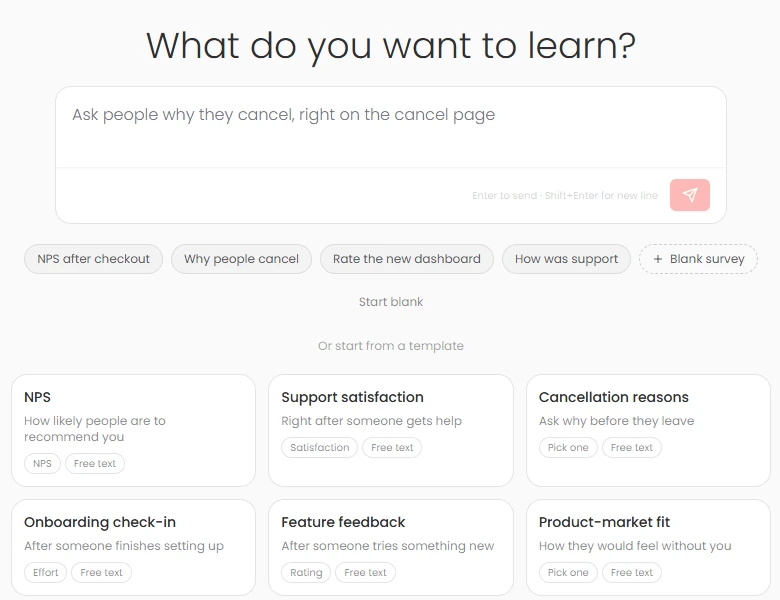
Surveys in Rectify Describe it in plain EnglishOr start from a template

You want to know why people cancel. So you build a form, guess who to send it to, and get eleven replies.

Ask Quanta, and ask the people who matter.

01

Create a survey by chatting.

Start with what you want to know, like “why do people cancel?” Quanta writes the questions live and suggests follow-ups. Refine it in plain words, “make it shorter” or “only known customers”, then publish or open the editor.
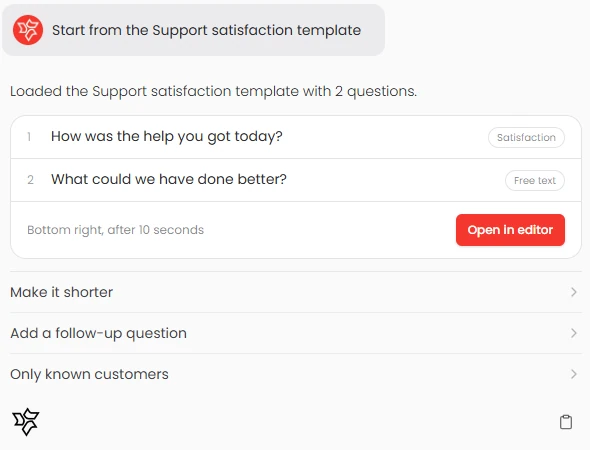
Quanta drafting a support satisfaction survey from a template
02

Questions with logic.

Nine question types, from NPS and CSAT to effort scores, ratings, choices, free text and email. Answer with stars, hearts, faces, numbers or thumbs. Branch on any answer to skip ahead or end the survey.

9

question types

NPSSatisfactionEffortRatingYes or noPick onePick manyFree textEmail
03

Shown to the right people.

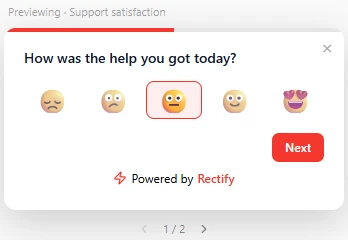
Target everyone, known contacts, anonymous visitors or segments. Place it in a corner, the centre or a top bar, on the pages and devices you choose. Show it after a delay, on scroll, on exit or after a rage click, and decide how often anyone sees it.

A survey asking how the help was today, with five faces to choose from
04

Results as they come in.

Shown, completed and completion rate. NPS split into promoters, passives and detractors; CSAT as the share of 4s and 5s. Distributions, averages, the latest written answers and where people drop off. Export to CSV, or send answers to Slack and your workflows.

Why people cancelLive
0

NPS

from 118 answers · 64% completed

Promoters 58%Passives 26%Detractors 16%

“The roadmap voting is the reason we stayed.”

“Missing an integration with our CRM.”

Watch it work

Surveys, live.

  1. 01Say what you want to learn
  2. 02Quanta writes the questions
  3. 03Answers arrive live

Ask Quanta

Don’t click through it. Just ask.

Ask in plain English and Quanta does the work. Anything that changes your data waits for a person to approve it.

QuantaOn shift

Ask people why they cancel, on the cancel page.

Three questions: a reason picker, “What would have kept you?” and an optional email. On /cancel, once per person.

Waiting for your approvalPublish surveyCancel
Ask Quanta to do anything

Everything in it

The details, all of them.

TemplatesNPS, CSAT, cancellation, onboarding, feature, PMF
BranchingSkip ahead or end on any answer
Answer stylesStars, hearts, faces, thumbs, buttons
LookBrand colours, corners, progress bar
Thank-you screenIn your words
SchedulingStart and end dates
FrequencyOnce, or every few days
PoliteNever alongside a popup
Partial answersSaved as people go
Events“Survey answered” for Slack and workflows

Give your SaaS its first hire.

Free for 14 days. Set up in about two minutes.